
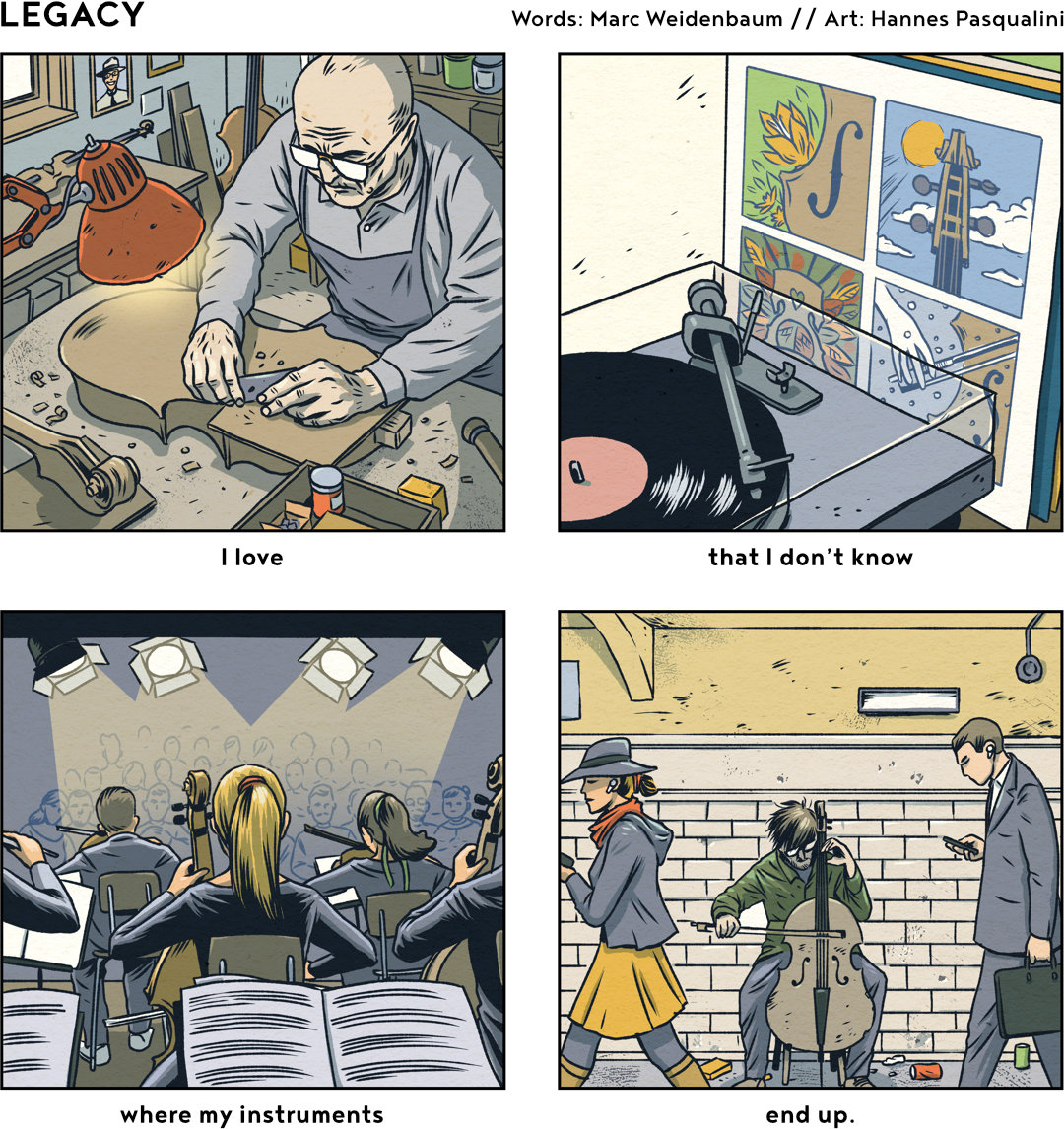
This is the 13th comic in the ongoing series I’m doing with Hannes Pasqualini. See a full index of Frame by Frame comics at disquiet.com/fxf. More from Hannes at horizontalpitch.com and papernoise.net.
This is the 13th comic in the ongoing series I’m doing with Hannes Pasqualini. See a full index of Frame by Frame comics at disquiet.com/fxf. More from Hannes at horizontalpitch.com and papernoise.net.
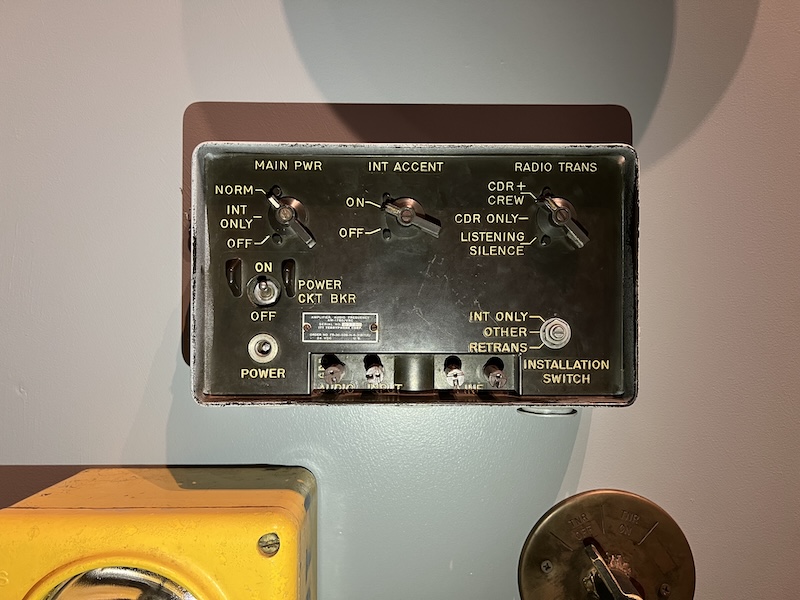
This is an amplifier made by the Terryphone Corporation, after that company’s acquisition by ITT, originally International Telephone & Telegraph. Photographed in the space exploration section of the Cradle of Aviation Museum, Garden City, Long Island, NY. I need to decipher some of this, notably the “listening silence” and “int accent” settings.
At the end of each week, I usually collate a lightly edited collection of recent comments I’ve made on social media, which I think of as my public scratch pad. I find knowing I’ll revisit my posts to be a positive and mellowing influence on my social media activity. I mostly hang out on Mastodon (at post.lurk.org/@disquiet), and I’m also trying out a few others. And I generally take weekends off social media.
I’m posting this halfway through a JetBlue flight home to San Francisco from New York, where I was visiting family.
▰ It’s a lesser-known Gen X superstition that if you happen to walk by an establishment that’s playing “Come On Eileen” before 10:30am, it’s gonna be a better than average day
▰ When I hear the robotic voice repeat “stop, look around” on the JFK AirTrain, I want a Kraftwerk version of Buffalo Springfield’s “For What It’s Worth (Stop, Hey What’s That Sound)”
▰ ”The thing about being in Art Blakey’s band was staying in it long enough to have one of your songs recorded.” —Frank Lacy (March 31, 2025, at Smalls in Manhattan, leading his septet during the 9:00pm show)
▰ Imagining that by the time I’m due for hearing aids, people will be muting words in everyday conversation like it’s possible to do currently on social media
▰ The quiet after the dishwasher after the rain is a particularly quiet quiet
▰ Not bad. It’s April 3 as I type this, and I’ve been in New York since March 27, and I haven’t heard Billy Joel, Bruce Springsteen, or Bon Jovi once. Let’s see if I can make it to Saturday, April 5, when I fly home.
▰ Finished reading two novels this week: Ali Smith’s excellent Autumn (2017), a beautifully fractured story about the emotional and intellectual connection between two people toward the start of life for one of them and toward the end of the other’s, and Joan Didion’s even more excellent Play It as It Lays (1970), a bleakly fractured story about the lack of connection between a number of people, and now I want to read any novel that dares to use a quote from the Didion book as its epigraph. Also read a short little graphic novel by Rich Tommaso, In the Garden of Earthly Delights (Floating World Comics, 2024), which I picked up at the excellent shop Escape Pod at the recommendation of its proprietor, Menachem Luchins. That’s on Long Island in the town of Huntington, which is also where I lived in the same house from when I was about two weeks old until I left for college. I’m a sucker for small comics, and comics written and drawn by the same person, and heist stories, and comics that include depictions of art, and this is all of those. I’m also pondering print formats for small comics, given Hannes Pasqualini and my ongoing Frame by Frame series, and this one was informative.

Apparently this zone had a previous life as a lane.
Each Thursday in the Disquiet Junto music community, a new compositional challenge is set before the group’s members, who then have five days to record and upload a track in response to the project instructions.
Membership in the Junto is open: just join and participate. (A SoundCloud account is helpful but not required.) There’s no pressure to do every project. The Junto is weekly so that you know it’s there, every Thursday through Monday, when your time and interest align.
Tracks are added to the SoundCloud playlist for the duration of the project. Additional (non-SoundCloud) tracks also generally appear in the lllllll.co discussion thread.
Disquiet Junto Project 0692: Combust a Move
The Assignment: Make music using fire for the rhythm track.
There is just one step for this project: Record a piece of music in which the sound of fire — match, burner, cigarette, etc. — provides the primary source for the rhythmic track.
Tasks Upon Completion:
Label: Include “disquiet0692” (no spaces/quotes) in the name of your track.
Upload: Post your track to a public account (SoundCloud preferred but by no means required). It’s best to focus on one track, but if you post more than one, clarify which is the “main” rendition.
Share: Post your track and a description/explanation at https://llllllll.co/t/disquiet-junto-project-0692-combust-a-move/.
Discuss: Listen to and comment on the other tracks.
Additional Details:
Length: The length is up to you. How long before this fire burns out?
Deadline: Monday, April 7, 2024, 11:59pm (that is: just before midnight) wherever you are.
About: https://disquiet.com/junto/
Newsletter: https://juntoletter.disquiet.com/
License: It’s preferred (but not required) to set your track as downloadable and allowing for attributed remixing (i.e., an attribution Creative Commons license).
Please Include When Posting Your Track:
More on the 692nd weekly Disquiet Junto project, Combust a Move — The Assignment: Make music using fire for the rhythm track — at https://disquiet.com/0692/